!/bin/bash
Program:
Resign find commannd,and simplize usage mode.
Usage:
f -n-a-p[-t] [path...]
-n=-name filename
-a [%Y-%M-%D]=-atime date()-(%Y-%M-%D) //the last date visited
-c [%Y-%M-%D]=-ctime date()-(%Y-%M-%D) //the last date changed
-m [%Y-%M-%D]=-mtime date()-(%Y-%M-%D) //the last date modified
-p=-maxdepath value[1,2,3...]
-s=-size value[the size of file: 1b 1k 1m...]
-t=-type value[c,f,b...]
[path...]=the directory to be searched
History:
2022/12/15 pine First Release
PATH=/bin:/sbin:/usr/bin:/usr/sbin:/usr/local/bin:/usr/local/sbin:~/bin
export PATH
myExec="find "
function getDate()
{
        echo $(($(($(date +%s)-$(date +%s --date="${1}")))/(24*60*60)))
}
while getopts ':n:m:a:c:s:t:p:' OPTION; do
case "$OPTION" in
        n)
                argN=" -name ""\"${OPTARG}\""
                ;;
        a)
                argA=" -atime ""$(getDate ${OPTARG})"
                ;;
        m)
                argM=" -mtime ""$(getDate ${OPTARG})"
                ;;
        c)
                argC=" -ctime ""$(getDate ${OPTARG})"
                ;;
        s)
                argS=" -size ""${OPTARG}"
                ;;
        t)
                argT=" -type ""${OPTARG}"
                ;;
        p)
                argP=" -maxdepth ""${OPTARG}"
                ;;
        ?)
                echo "error"
                ;;
esac
done
shift "$(($OPTIND - 1))"
if [ ! -d "${1}" ] || [ "${1}" == "" ]; then
        echo "The path: ${1} is NOT exist in your system."
        exit 1
fi
myExec="${myExec}""${1}""${argP}""${argN}""${argA}""${argC}""${argM}""${argS}""${argT}"
# echo "${myExec}"
sh -c "${myExec}"
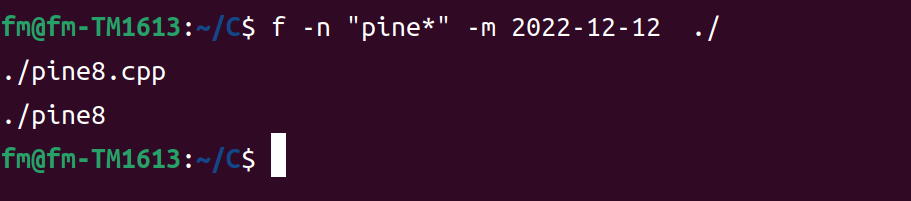
Example:
f -n "pine*" -m 2022-09-24 -p 1 -s 10m ./